

Setting up an Xtream Codes API account is the fastest, most stable way to activate your IPTV subscription in Ireland. Instead of juggling messy M3U files, the API logs you in with three simple details and instantly pulls in your full channel list, EPG TV guide, and on-demand library — ready to watch on any device.
This step-by-step guide shows you exactly how to enter your Server URL, Username, and Password into the most popular players, how to set up an Xtream Codes API account on a Smart TV, and how to fix the most common login errors. Whether you're on a Firestick, Android box, Samsung, or LG, you'll be streaming in under five minutes.
Skip the manual search. Get an instant IPTV Ireland Free Trial with working Xtream Codes login details sent straight to you in under 2 minutes.
The Xtream Codes API is the industry-standard method for connecting an IPTV player to a premium streaming server. Whether you're using a Smart TV, Android box, or Firestick, the API delivers a far more stable and organised experience than a traditional M3U link.
Unlike a simple playlist file, the Xtream Codes API automatically syncs your channel list, updates the Electronic Program Guide (EPG), and sorts your 160,000+ movies and series into searchable categories. That means no broken links, no manual refreshing, and a layout that feels just like premium cable. If you're still comparing your options, see how it stacks up in our IPTV vs satellite & cable in Ireland breakdown.
To enjoy 4K streaming in Ireland, you only need a compatible application and your unique login credentials. When you subscribe to a premium plan, your provider gives you three key pieces of information for your Xtream Codes API account:
The digital address of your stream (e.g. http://yourline:port).
Your secure account ID for the IPTV server.
Your private access key that authorises the connection.
Don't have these yet? You can grab them instantly with a free trial, or view full IPTV subscription pricing for Ireland before you buy.
Choosing the right Xtream Codes compatible API app depends on your hardware. For the best experience in 2026, we recommend:
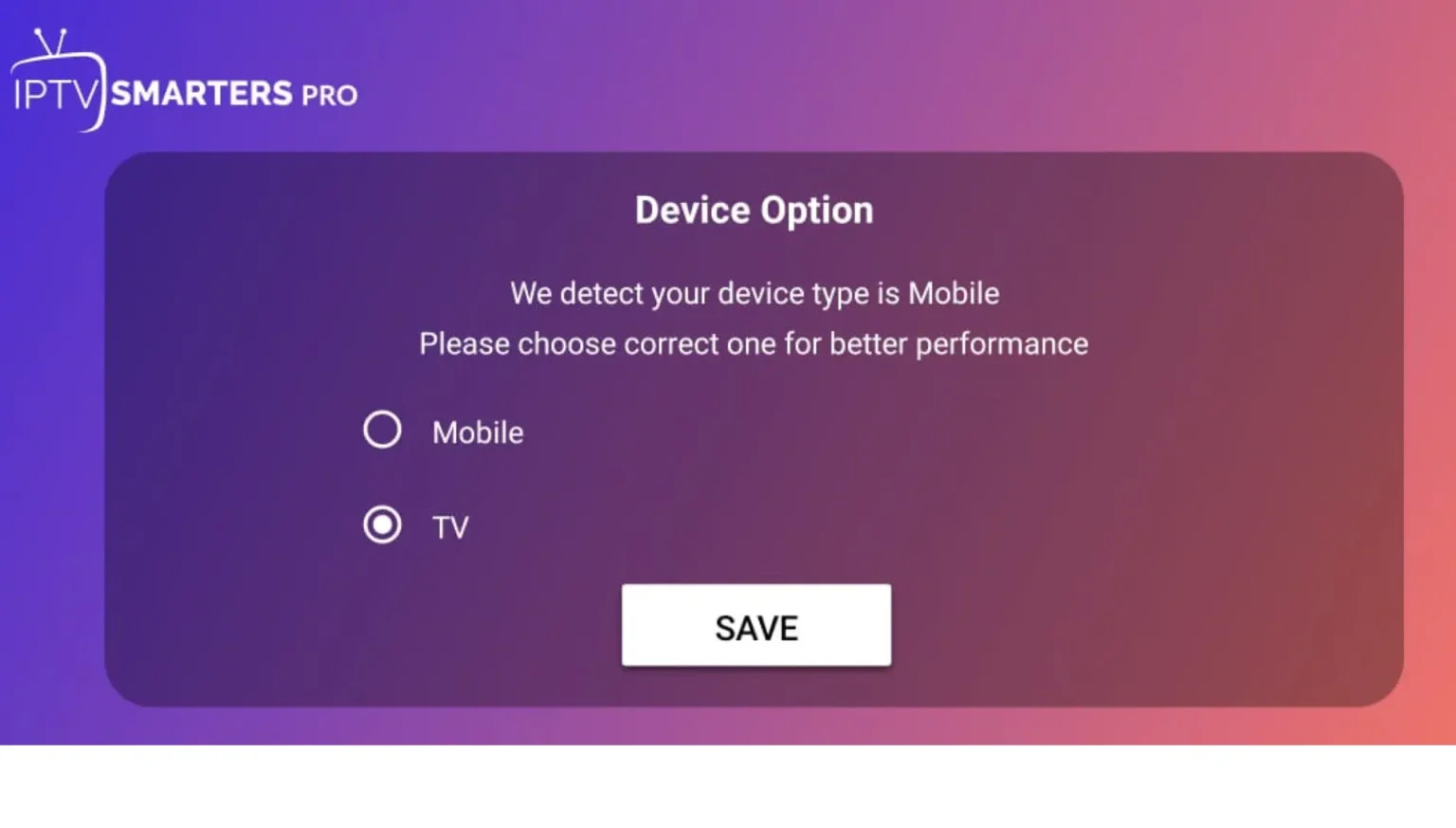
Follow these four steps to log in with your Xtream Codes API account on almost any player:
Prefer a single hub for every device? Our complete IPTV setup guide links to step-by-step instructions for every platform.
Different players label the login fields slightly differently. Here's exactly how to connect your Xtream Codes API account in the most-used apps.
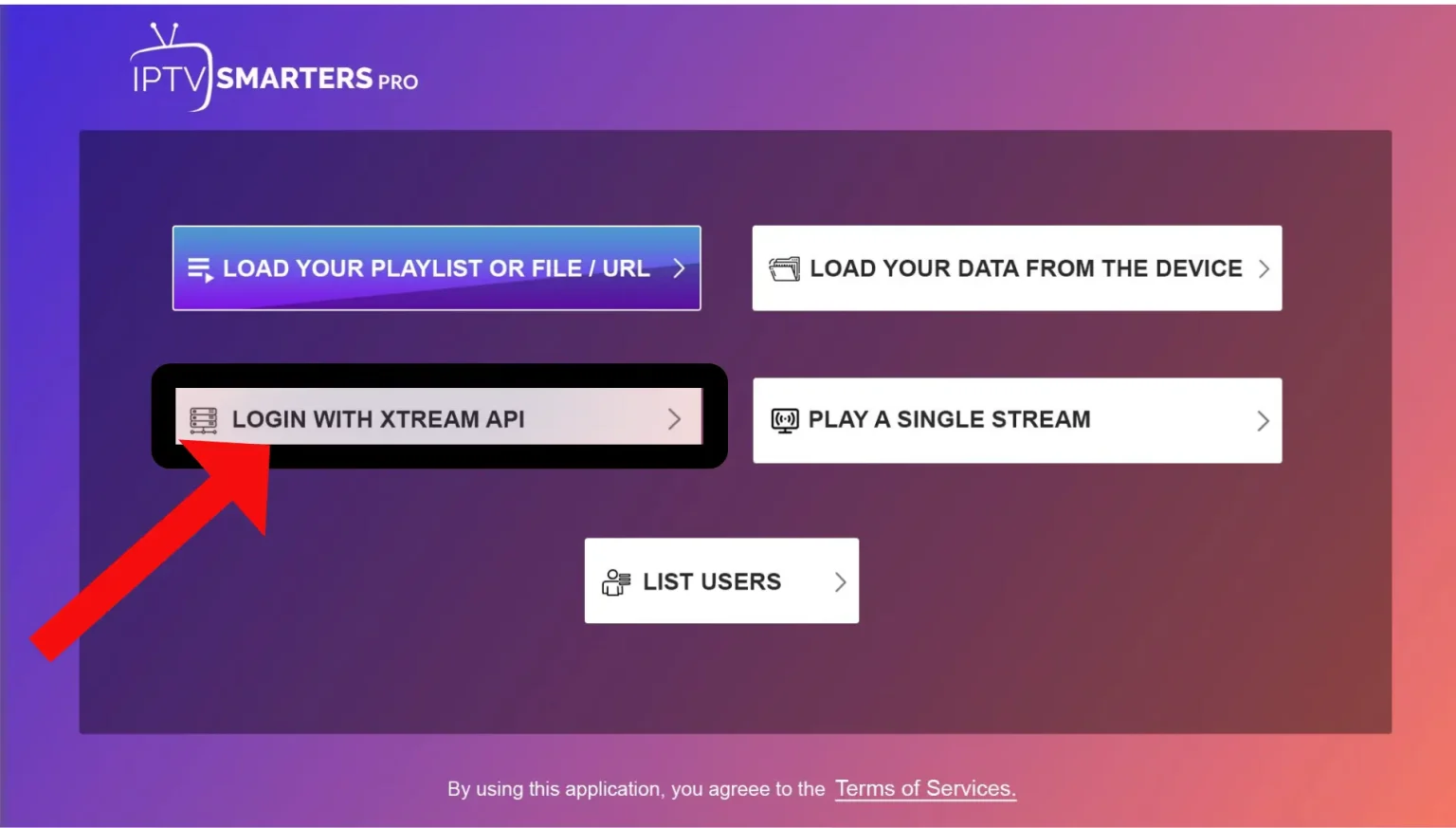
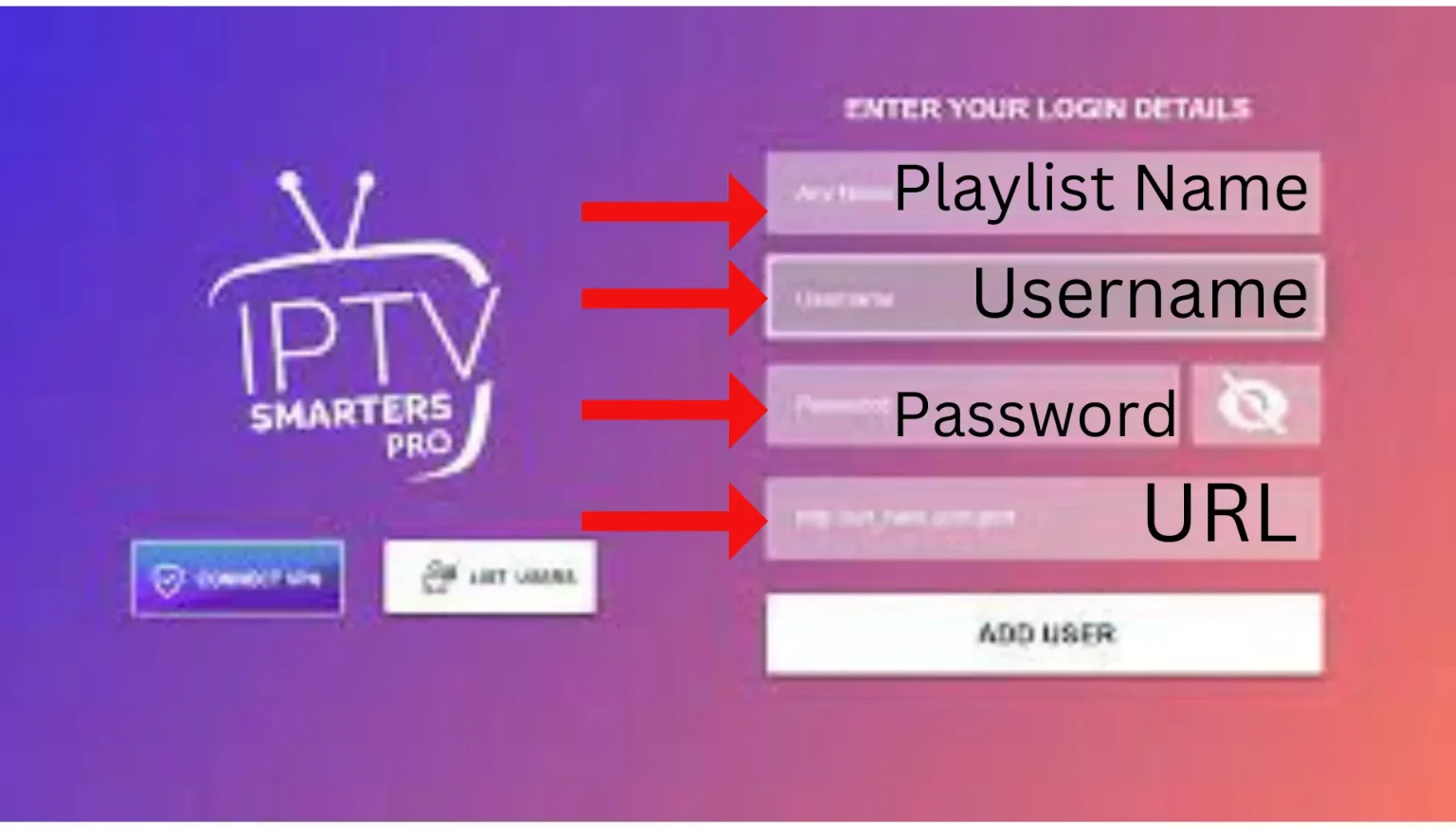
Open the app and tap "Login with Xtream Codes API." Fill in the four fields below, then tap Add User:
Device-specific walkthroughs: Smarters Pro on iPhone/iPad, Smarters Pro on Android, and XCIPTV on Firestick 4K.
Yes — TiviMate fully supports Xtream Codes API and is loved for its premium-cable EPG. To connect: open TiviMate → Add playlist → Xtream Codes → enter your Server URL, Username, and Password, then tap Next. TiviMate pulls in your channels and a 7-day EPG automatically. (TiviMate Premium is needed for recording and multiple playlists.)
IBO Player supports Xtream Codes API directly on Samsung and LG Smart TVs — no extra box required. Open IBO Player, note your MAC address and Device Key shown on screen, then add your playlist via the Xtream Codes API option using your Server URL, Username, and Password. Full walkthrough: IBO Player Pro setup guide.
To configure Set IPTV with the Xtream Codes API on a Samsung TV: install Set IPTV from the Samsung app store, note your TV's MAC address, then upload your Xtream Codes API line through the Set IPTV portal. The same method works on LG via webOS. Step-by-step: Set IPTV on Smart TV and Net IPTV on Smart TV.
Using a MAG box or a PC instead? See the MAG box setup guide or how to watch IPTV on PC.
When you choose the Xtream Codes option, a login form appears. Enter your Username and Password first, then your Server URL. If you're an existing subscriber, all of these are provided by your provider. If you don't have a provider yet, message us on WhatsApp and we'll send your Xtream Codes details straight away.
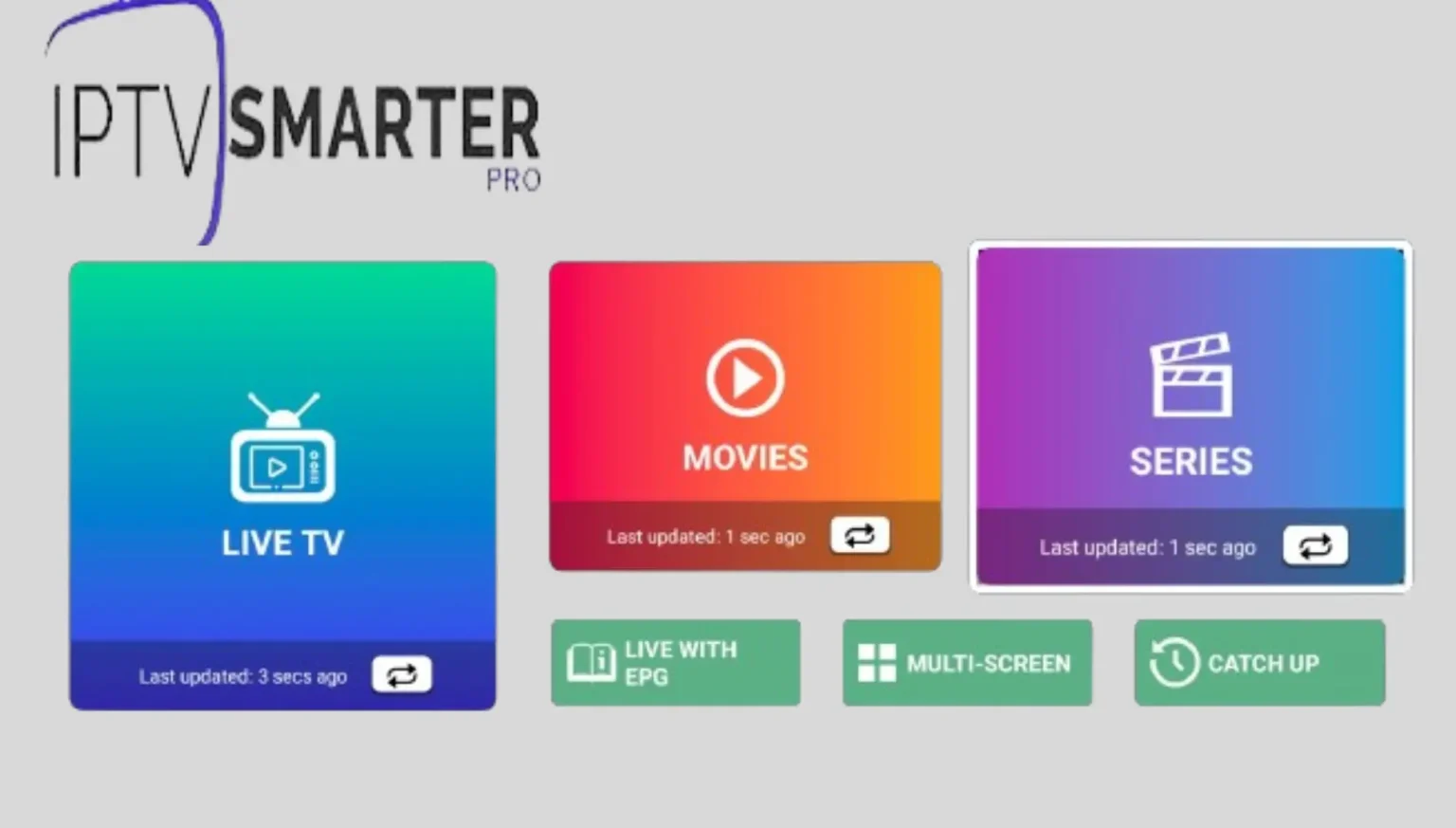
Once your Xtream Codes API account is added, you'll land on the main dashboard with Live TV, Movies, and Series. From here you can browse channels by country, build favourites, and jump into the EPG. Want to see what's included? Explore the best IPTV channels in Ireland. If anything is missing or you'd like extra content added, just message support and we'll sort it for you.
Most login problems come down to one of three things. Here's how to fix them fast.
A status of Expired usually means your subscription has run out, while Failed / Authorized Error normally means your current provider has revoked or blocked the line. Double-check that the Server URL, Username, and Password are entered with no spaces. If the line is genuinely revoked, you'll need a fresh, stable connection.
If your current playlist has been revoked, you can purchase a premium, stable connection directly from our IPTV Shop. All plans include 16,000+ live channels and 160,000+ VODs with instant activation.
Buffering is almost always a network issue, not the server. Restart your router, use a 5 GHz Wi-Fi band or wired Ethernet, and close background apps. On Eir, Virgin Media, or Sky broadband, a quick router reboot clears most timeout errors. Also confirm your plan supports the device count you're streaming on.
A VPN isn't required to set up the API, but some Irish ISPs throttle streaming traffic, so a VPN can improve stability and privacy. If you do use one, choose a server close to Ireland for the lowest latency. For the legal side, read our guide on whether IPTV is legal in Ireland.
Test it first, or jump straight to a premium plan with 16,000+ channels & 160,000+ VODs.
Get working Xtream Codes login details in minutes and test the service risk-free.
Request a Free TrialA stable 4K connection with anti-freeze servers, EPG, and instant activation.
View Premium IPTV PlansNew to IPTV? Start with the best IPTV in Ireland, compare subscription options, or learn about reselling on our IPTV reseller page.