


Set IPTV is a premium, high-performance media player specifically optimized for Samsung, LG, and Android-based Smart TVs. As one of the most reliable applications for Irish households, Set IPTV offers a seamless interface for streaming live sports, local Irish news, and 4K cinema. In this 2026 update, we provide the exact steps to activate your 16,000+ channel subscription using both M3U and Xtream Codes methods.
| Application Name | Set IPTV |
| Application Version | 1.0(3) |
| Category | Entertainment |
| Installs | 70K+ |
| Latest Update | 10 October,2022 |
| Developer | SETSYSTEME |
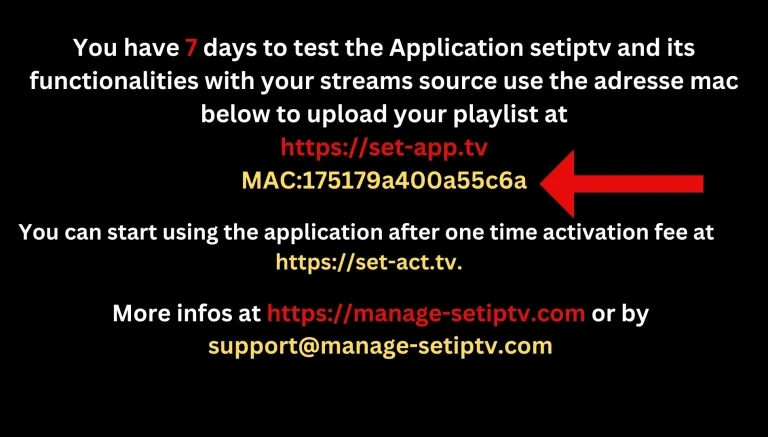
For installation, you have to go to the app store of your smart TV and go there. You have to simply navigate to Set IPTV, then click on the installation button. Then it will show you the mac address on the screen, which will show the mac address you will give to your provider. Here, provider means your service provider who is providing the service to you if you want to do it yourself. You can also add it on Google itself; that is also a simple method. We will tell you about it.
The activation method of Set IPTV is very easy and simple as compared to other applications.
M3U, which will give you a service provider up If you are a service provider, then you know how to get it from the panel. After extracting M3U, you put it under the MAC address under M3U. will do .
Pin creation (optional)
After that, an optional method of pin creation is given in it; if you want, you can use this method of creation. Also, when a person turns on your TV, he will first ask for the PIN, and after that, it will play his playlist; if not, it will go directly. After entering MTHU, you have to click on the Upload Playlist option, which will upload your playlist, and after that, you have to restart your device, which means Smart TV. When you restart it, you will see the application fully activated, and it will have three options: live TV series and movies.
The Xtream Codes API is the preferred method for many users because it provides a more stable connection and better EPG (TV Guide) integration. To set this up, you will need three pieces of information from your provider: the Portal URL, your Username, and your Password. Simply enter these credentials into the Set IPTV app to instantly sync your 160,000+ VOD and Series library.
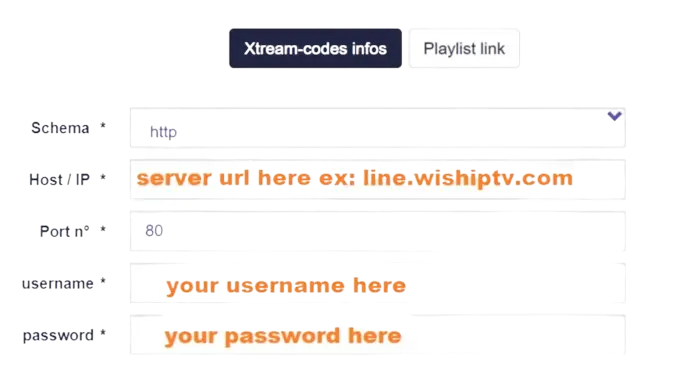
SET IPTV offers two main setup methods: the M3U link method and the Xtream Codes method.
Yes, you can use SET IPTV with external players. Some IPTV services offer the option to use external media players for viewing content. If you prefer a specific media player for its features or interface, you may be able to configure SET IPTV to work with it. However, the ability to use external players may depend on the specific features and compatibility of both SET IPTV and the external player you wish to use.
Yes, some IPTV services offer free trials for SET IPTV. During this trial period, you can test out the service to see if it meets your needs before committing to a subscription. However, availability and duration of free trials may vary depending on the IPTV service provider. It’s best to check with the provider directly to see if they offer a free trial for SET IPTV.
“Setting up Set IPTV on your Smart TV is the first step toward a premium home cinema experience. By following this 2026 guide, you have ensured that your device is correctly configured for high-definition, buffer-free viewing.
Whether you are looking for the latest Premier League matches, Irish local news, or an massive library of 160,000+ VOD titles, our service is optimized to work flawlessly with the Set IPTV interface. If you encounter any issues during activation or need a fresh Xtream Codes login, our team is available 24/7 to assist you.
Don’t settle for standard TV—upgrade your entertainment today with Ireland’s most reliable IPTV provider.”
View Our IPTV Subscription Plans | Get a Free Trial on WhatsApp